Live Home 3D Pro is the most intuitive and feature-packed home design app suitable for homeowners and professional designers, a successor to Live Interior 3D. Besides offering advanced home design tools, the Pro edition provides superior export quality and Elevation View mode.
Download
5 versions
Download Now
5.1.0 · FREE · Universal
642 MB
Free Space Required
Universal
Apple Silicon & Intel
Universal
ARM64 & x86_64
- Features
- Screenshots 3
- Whats new?
General
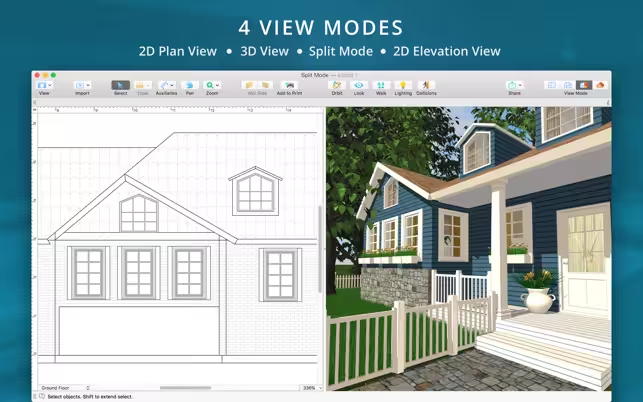
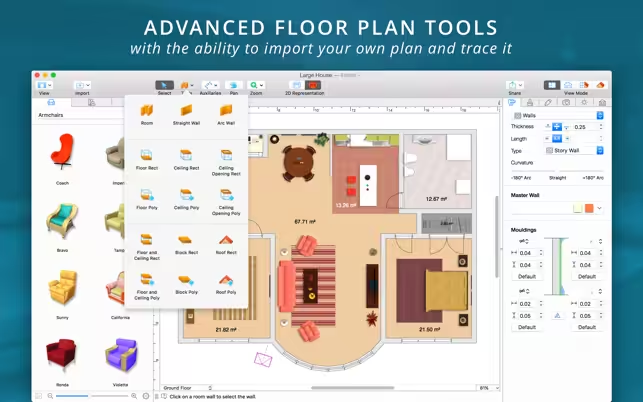
- Create detailed 2D floor plans.
- Beautiful real-time 3D rendering.
- Unlimited floor levels. (Pro edition only)
- A collection of in-depth video tutorials.
- Built-in Help Assistant and free, quick tech support service.
- Project Gallery with house projects and sample rooms.
- Native Support for Live Interior 3D Projects.
- Draw complete rooms using the Room tool.
- Use Arc and Straight Wall tools for drawing walls.
- Elevation view. (Pro edition only)
- ‘Auto outline’ vector-based 2D representation for furniture.
- View real-time measurements for walls, ceilings, and floors when drawing in 2D Plan view.
- Select the necessary measurement units (inches, feet, meters, etc).
- Use smart Dimension tool to set the distance between underlying objects or walls.
- Precise positioning thanks to smart guides and object snapping.
- Adjust the lighting, add and move objects, apply materials, and more right in 3D.
- All changes, made in 3D or 2D, are rendered in 3D in real-time.
- Walk through your 3D interior.
- FOV (field of view) and parallel camera projection. (Pro edition only)
- Set multiple cameras to see the house from a different point of view.
- Achieve natural lighting by setting up a true Geo position, daytime, and overcast.
- Adjust light fixtures throughout your project to get a realistic lighting scene.
- Light editor helps to add a light source to an imported object. (Pro edition only)
- Create corner windows and complex openings using the program advanced technology.
- Level of details tool allows to optimize 3D object and speed up the project.
- Professional Shadow Map technique makes shadows look soft and natural.
- 2,000+ furniture and other models.
- Import models seamlessly from Trimble 3D Warehouse™ (previously Google 3D Warehouse™).
- Edit furniture in SketchUp. (Pro edition only)
- 2,100+ supplied materials.
- Drag and drop an image from the Finder to apply it to any surface as custom material.
- Advanced material editor. (Pro edition only)
- Set the exact size of a material tile to know how much of the material is needed for your house renovation project.
- Import objects in SketchUp, COLLADA, KMZ, FBX, OBJ or 3DS formats by simply dragging and dropping them into your project.
- Polygonal-based Block tool for drawing balconies, porches, and more. (Pro edition only)
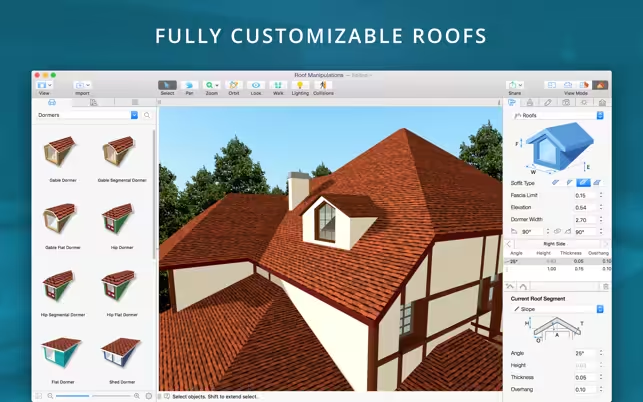
- Roof Assistant with 12 customizable roof templates.
- Custom shaped roofs. (Pro edition only)
- Add custom segments to fully customize your roof.
- 16 customizable dormers.
- Export 3D views to JPEG, TIFF, PNG, and BMP (up to 16000 x 16000).
- Render a realistic video walkthrough (up to Ultra HD).
- Create Stereo 3D Video, 360° Video, and even Stereo 3D 360° Video.
- Quickly send a copy of your project via Mail, Messages, or AirDrop.
- Export the entire project or selected objects to COLLADA, Trimble SketchUp™, VRML Version 2.0, or X3D format.
- Export to 3DS, FBX, USDZ, and OBJ formats. (Pro edition only)
- iCloud support.
What's New in Version 5.1.0
- Added support for macOS Big Sur.
- Bug fixes and stability improvements.
Older versions & Compatibility
Running macOS Catalina, Big Sur, Monterey, or Ventura? Download tested builds for Intel and Apple Silicon.
-
5.1.0 LatestOct 28, 2026 · 642 MB · Universal
-
5.0.6 ArchivedOct 15, 2026 · 642 MB · Universal
-
5.0.4 ArchivedOct 12, 2026 · 642 MB · Universal
-
5.0.2 ArchivedOct 28, 2026 · 642 MB · Universal
-
4.12.1 ArchivedOct 28, 2026 · 642 MB · Universal
Verified secure servers
Official Website






No comments yet
Share whether this build worked on your Mac, on which macOS version, and your tips.