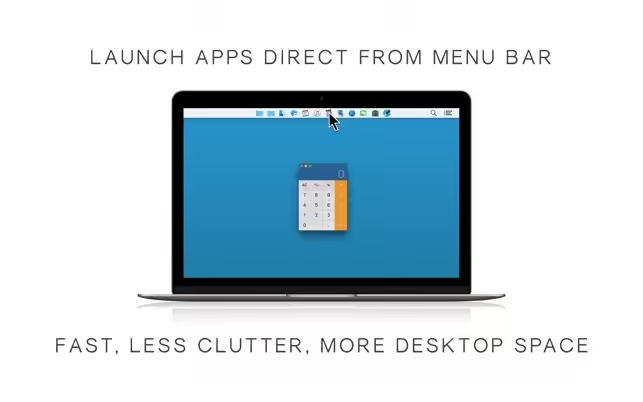
Launch apps and open files with just one click in the system menu bar. Quickly browse folders without leaving a trail of opened windows. Customize the bar by adding your favorite apps, files, and folders as icons or menu items. Launch Bar eases and speeds up your workflow, by combining the most essential features of Finder, Dock, and Launchpad.

Download
1.0.4 · FREE
Download Now
1.0.4 · FREE · Universal
5.4 MB
Free Space Required
Universal
Apple Silicon & Intel
Universal
ARM64 & x86_64
- Features
- Screenshots 1
- Whats new?
- Launch or switch apps, browse folders and open files with a single click
- Add your essential apps, files, and folders in the bar as icon or menu item
- Browse folders without opening and closing Finder windows
- Copy apps and folders automatically from the Dock to the bar
- Free up desktop space by hiding the Dock
- Colored or grayscale bar icons, regular and retina screens
- Use customizable keyboard shortcuts
- Hold the Cmd key down to drag Menu Bar icons, left/right to reposition, down to remove
What's New in Version 1.0.4
- macOS compatibility
Older versions & Compatibility
Running macOS Catalina, Big Sur, Monterey, or Ventura? Download tested builds for Intel and Apple Silicon.
-
1.0.4 LatestOct 26, 2026 · 5.4 MB · Universal
Verified secure servers
Official Website





No comments yet
Share whether this build worked on your Mac, on which macOS version, and your tips.