iNet provides you with information about networks your Mac is connected to. Its very easy and user-friendly design allows even the inexperienced user to get a profound and understandable overview of a network and its running services. iNet is also available as iPhone and iPad App via the iTunes Store.

Download
3 versions
Download Now
4.0.5 · FREE · Universal
327.8 MB
Free Space Required
Universal
Apple Silicon & Intel
Universal
ARM64 & x86_64
- Features
- Screenshots 3
- Whats new?
- Network Scanner
- Bonjour Browser
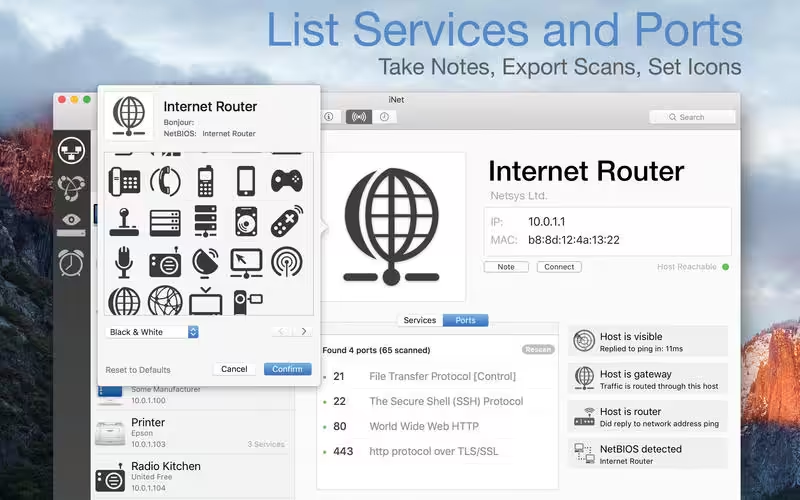
- Portscan for standard ports
- Airport Monitor
- Wake on Lan
We did our best to develop a solution that makes network observing as simple as possible. Whether you are a network expert or a common user – iNet provides the information you need to find out what’s going on in your network.
Network Scanner:
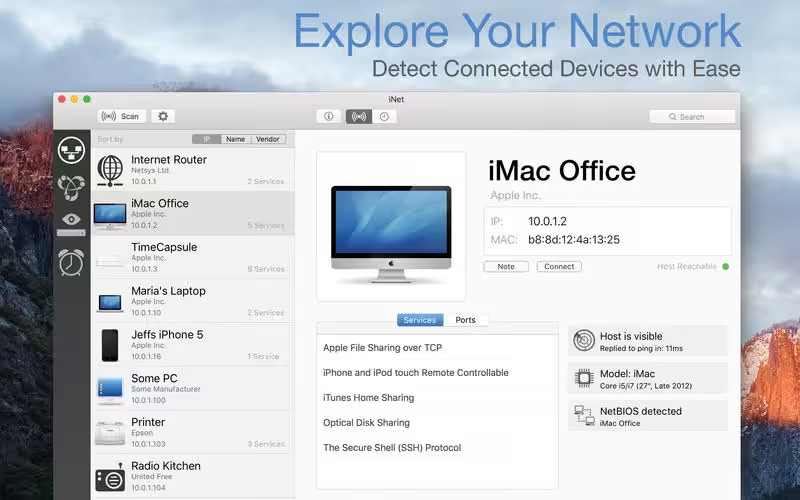
- See all devices that are online and connected to a network, along with vendor, IP, and MAC addresses
- Assign your own names and icons or choose from the provided icons for easier identifying a device in the scan list. Most Mac devices are displayed with their original icon.
- Set scan range and interface to scan
- Export scan results in CSV format
- Connect to devices via different protocols
Bonjour Monitor:
- Detect all running Bonjour services in realtime
- Detect running services on a discrete device
- Detailed information about a service
- Choose the active Bonjour domain for observing
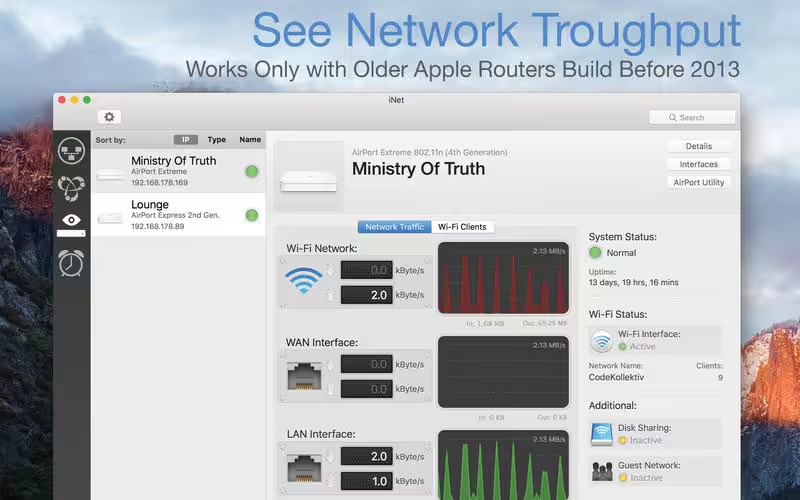
*Airport Monitor: Attention for users of the latest 2013 Airport edition with 802.11ac: Because SNMP support has been disabled by Apple iNet cannot retrieve the usage statistics and wifi strength anymore with these models. All other features of iNet are working properly. The following Airport monitoring features can only be used with models prior to the 802.11ac:
- See the current condition of Apple Airport base stations like Airport express or Time Capsule
- Monitor network traffic on Airport devices
- Find detailed information about your Airport base stations like MAC addresses, IP’s, used channels and so on
- See the connection quality of the connected wifi clients in realtime
Wake on Lan:
- Wake devices remotely in your local network or via the internet
- Put devices remotely to sleep, shutdown or restart (Macintosh only)
- Add devices to favorites
- Send commands via ssh to devices
- The minimal system required for WOL: OS X 10.7
Help
- Extensive help section
- Dictionary of used terms
What's New in Version 4.0.5
- [Added] Newest iPad Air and iPad Pro
- [Updated] All databases
- [Added] Restoration of display size and position on restart
- [Added] Better detection of own device
Older versions & Compatibility
Running macOS Catalina, Big Sur, Monterey, or Ventura? Download tested builds for Intel and Apple Silicon.
-
4.0.5 LatestOct 28, 2026 · 327.8 MB · Universal
-
4.0.2 ArchivedOct 16, 2026 · 327.42 MB · Universal
-
4.0.4 ArchivedOct 28, 2026 · 327.8 MB · Universal
Verified secure servers
Official Website






No comments yet
Share whether this build worked on your Mac, on which macOS version, and your tips.