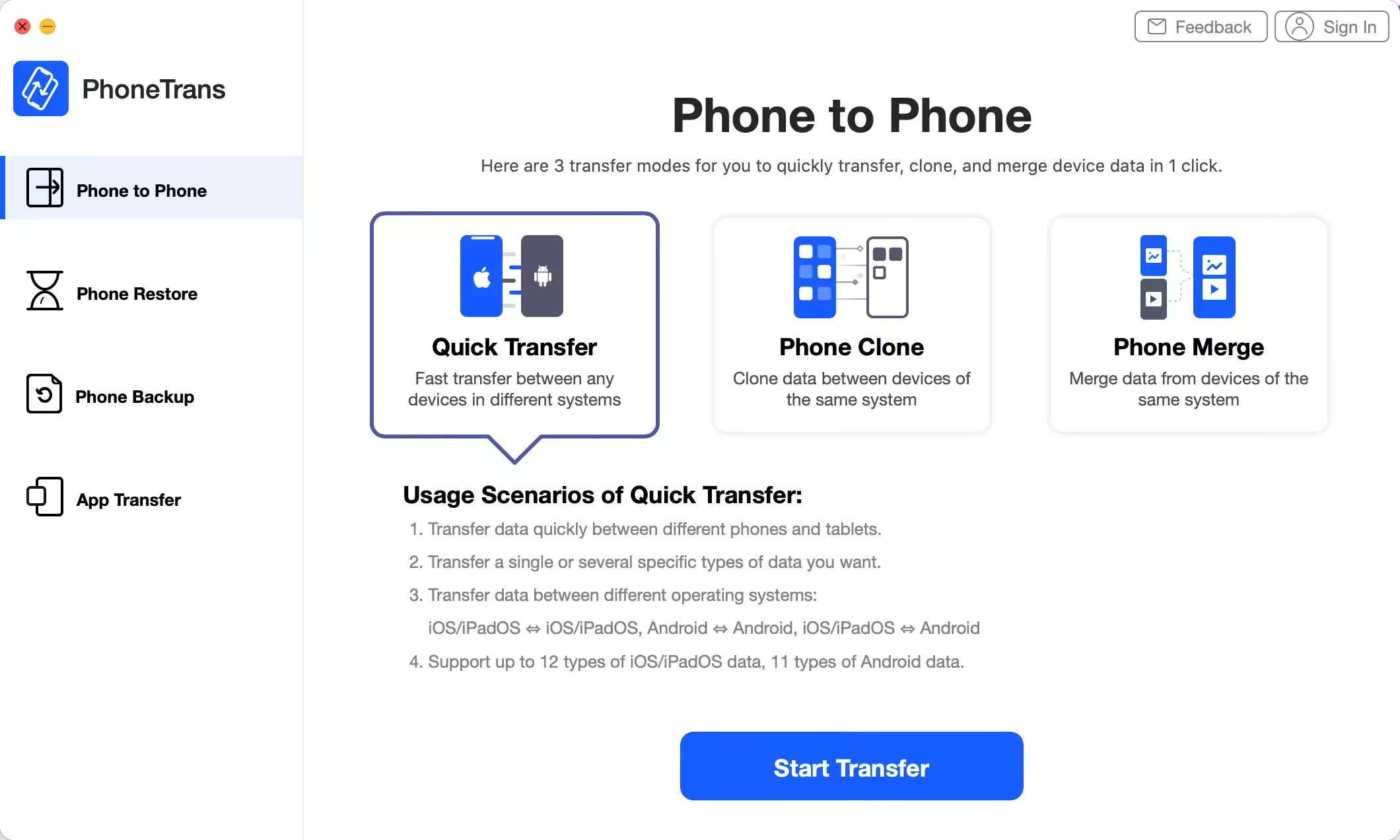
From Phone to Phone, Transfer as You Like. PhoneTrans bridges the gap and makes it one-click easy to migrate everything you need freely across iOS and Android phones & tablets, in any way you want. Switch seamlessly across iPhone, iPad, and 20,000+ Android phones & tablets of various brands, with auto-conversion of data to a compatible format.
Download
5.1.0 (20210113) · FREE
Download Now
5.1.0 (20210113) · FREE · Universal
86.7 MB
Free Space Required
Universal
Apple Silicon & Intel
Universal
ARM64 & x86_64
- Features
- Screenshots 4
- Whats new?
Transfer What You Really Need Efficiently
Just want to migrate what really matters to you instead of making a full restore? Need to switch from iPhone to an Android phone, or vice versa? PhoneTrans fulfills your dreams. It lets you freely select and transfer the content you want, like contacts you saved, photos you shot, the music you collected, etc. So you can save a huge amount of data migration time.
1:1 Clone of Data and Settings in One TapIf you want to set up a new phone, this is your best choice. PhoneTrans lets you 1:1 clone data and settings of your previous phone to your new phone, in a simple tap. The calls you made yesterday, the important messages you kept for a long time, and the custom ringtones you used are all in the right place waiting for you.
Merge Data of Multiple Devices to Your New PhoneApart from the 1:1 clone, PhoneTrans can also merge data of two phones, which means content from both phones will be well organized on your desired one without data overwriting. So, even if your new phone is already in use, you can still make the migration without losing any data. Or, if you need to merge data from multiple devices to your daily used one, it’s a few clicks away. More intelligently, PhoneTrans skips duplicates automatically on the fly.
Move Apps to New iPhone at One Go, WhatsApp Data IncludedSuffered enough of wasting time and bandwidth to redownload apps one by one on your new iPhone? Well, don’t have to endure such pain now. As the only solution available, PhoneTrans moves all the apps from the previous iPhone/iPad straight to your new iPhone/iPad at one go. Want to transfer WhatsApp messages? Sure. No matter you’re moving from an Android phone or iPhone, the entire chat history will be transferred to your new iPhone seamlessly with one click.
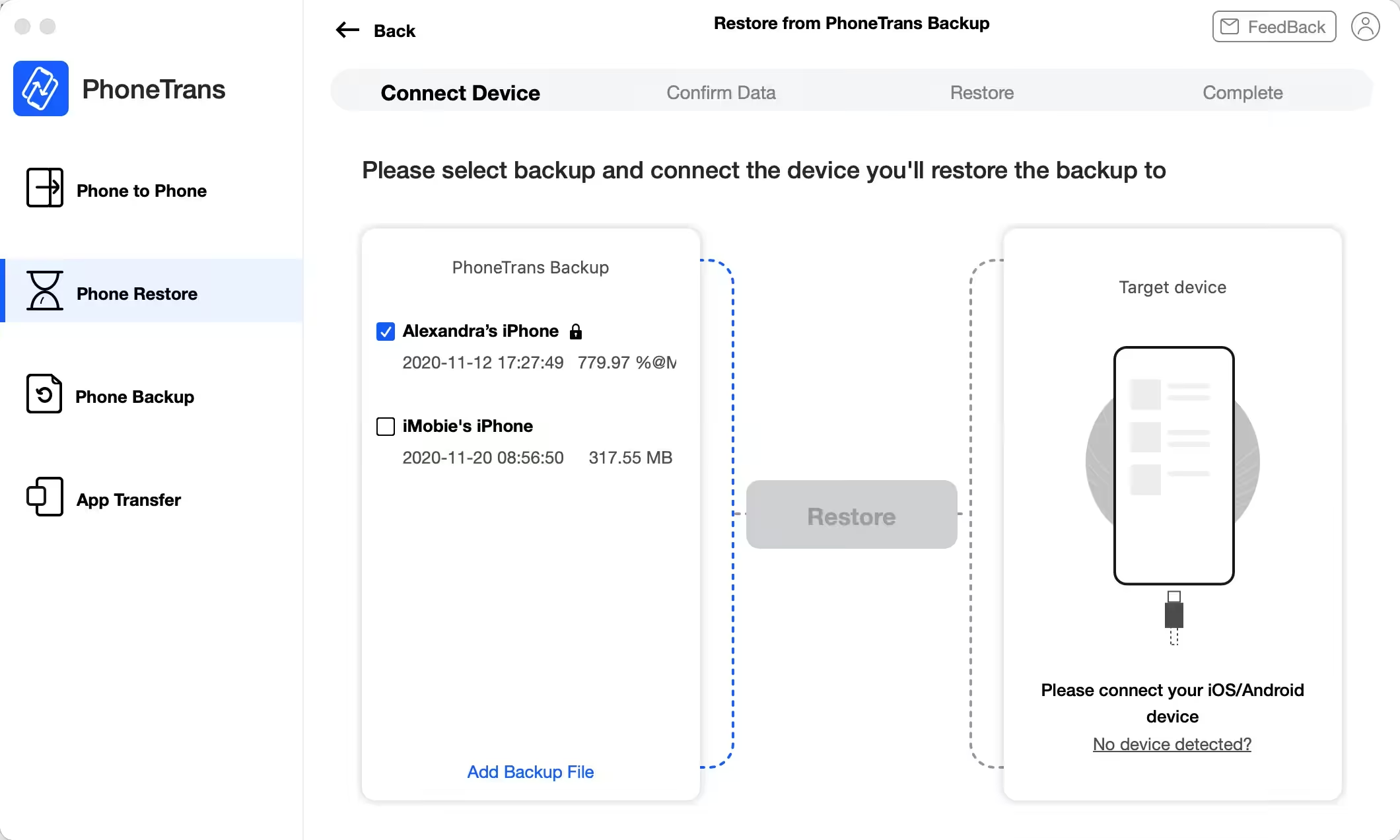
Restore from Any Backup Any Way You WantNo matter your required data lie in an iTunes backup or PhoneTrans backup, and whether you want a full restore or just certain data, PhoneTrans can always get what you need onto your phone the way you want. You can also select the different data you need from different backups and restore them to the same device without erasing any data. Even seamlessly restore an iOS/iPadOS backup to your Android device, or restore an Android backup to iPhone/iPad. Yes, you can.


What's New in Version 5.1.0 (20210113)
- Optimized the transfer speed and experience.
- Fixed the problem that some data in Notes cannot be transferred.
- Optimized other functions.
Older versions & Compatibility
Running macOS Catalina, Big Sur, Monterey, or Ventura? Download tested builds for Intel and Apple Silicon.
-
5.1.0 (20210113) LatestOct 25, 2026 · 86.7 MB · Universal
Verified secure servers
Official Website


No comments yet
Share whether this build worked on your Mac, on which macOS version, and your tips.