EagleFiler makes managing your information easy. It lets you archive and search mail, Web pages, PDF files, word-processing documents, images, and more. Use it to collect information from a variety of sources. Browse different types of files using a standard three-pane interface.

Download
1.9.15 · FREE
Download Now
1.9.15 · FREE · Universal
32.5 MB
Free Space Required
Universal
Apple Silicon & Intel
Universal
ARM64 & x86_64
- Features
- Screenshots 3
- Whats new?
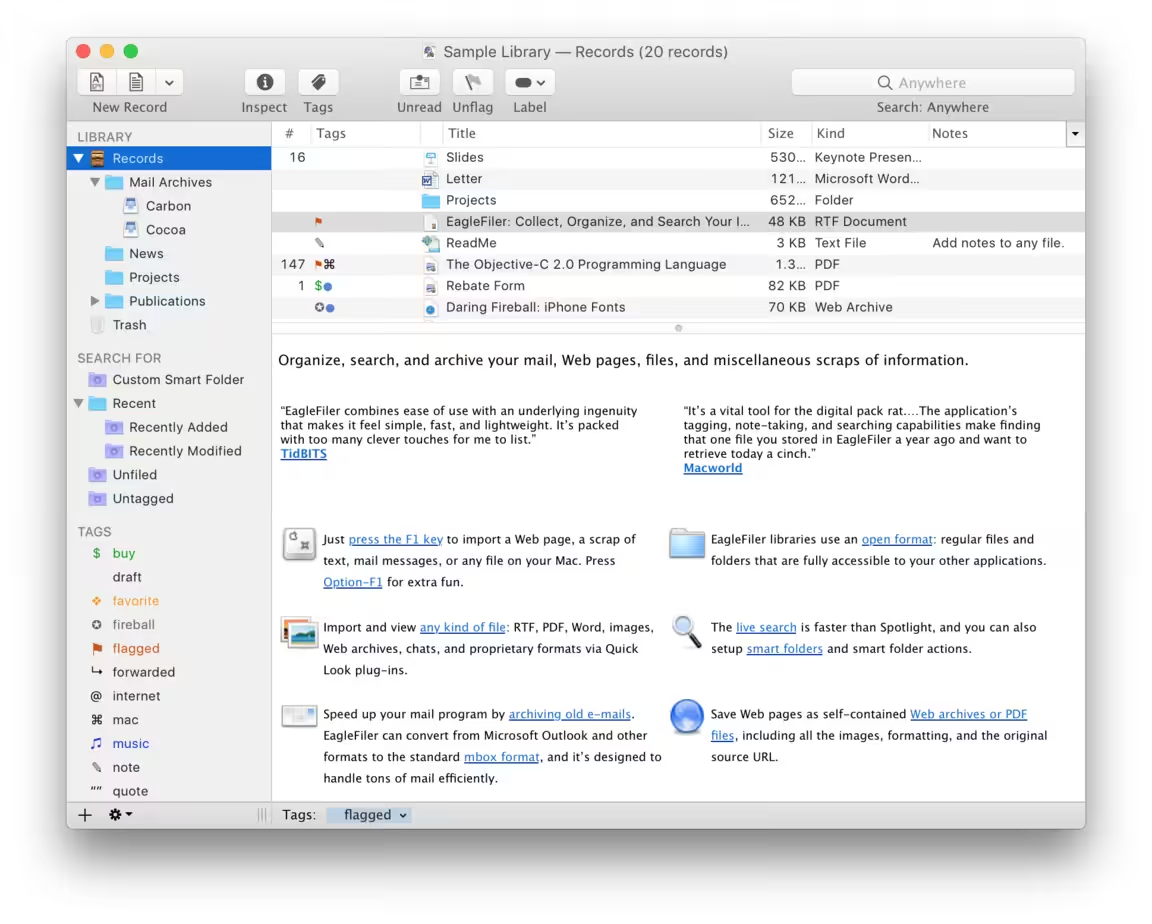
- Just press the capture key (F1 or Option-F1) to import a Web page, mail messages, the selected items in Evernote or other apps, or any file on your Mac.
- EagleFiler libraries use an open format: regular files and folders that are fully accessible to your other applications. Skip importing duplicate files and remove duplicate messages from mailboxes.
- Press Shift-F1 to make a quick note or Command-Shift-1 to save the selected text from whichever app you’re in.
- Take photos or scan documents directly from your iPhone camera into your EagleFiler library.
- Import and view any kind of file: PDF, Word, Excel, Pages, Keynote, images, videos, Web archives, scanned documents, and other proprietary formats via Quick Look plug-ins.
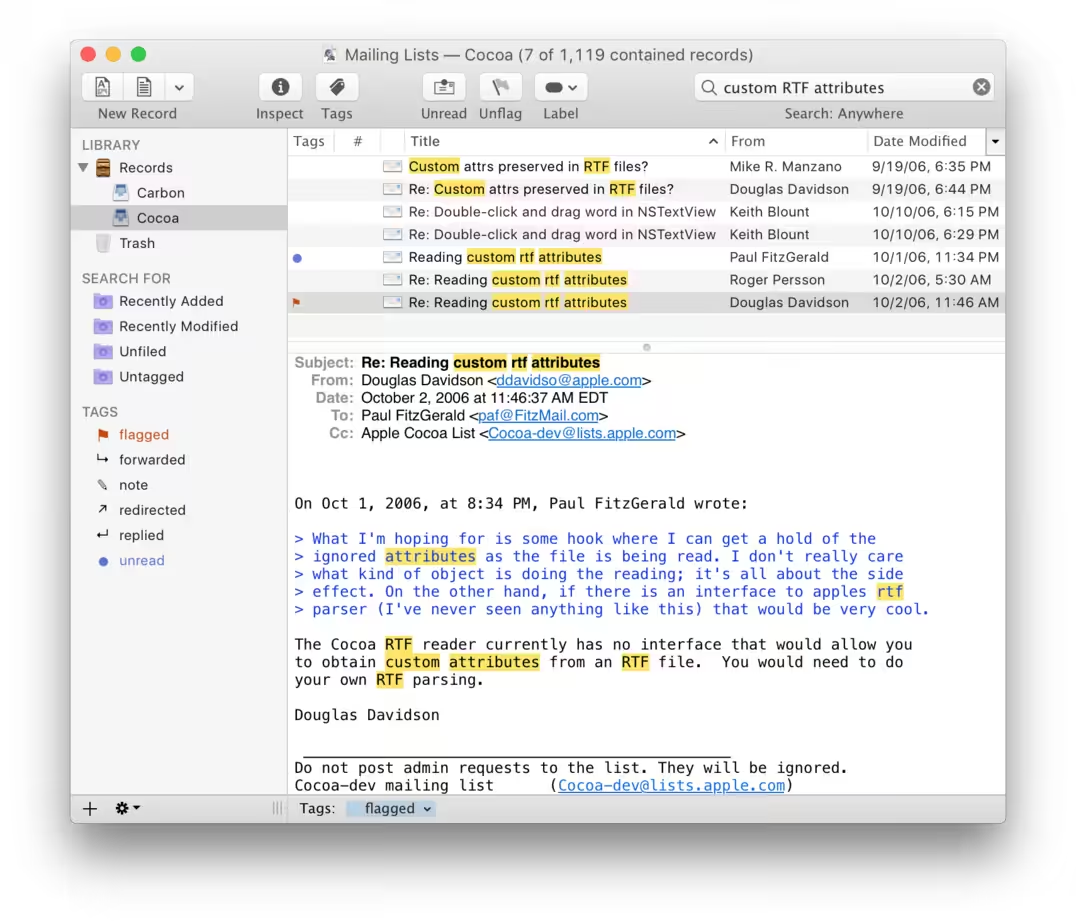
- The live search is faster than Spotlight, and you can also set up smart folders and smart folder actions. Search all your files and e-mail attachments, and see the matches highlighted.
- Archive your e-mails (including attachments omitted by Time Machine) to speed up your mail program or create a safe, fast backup of your IMAP server. EagleFiler can convert from Apple Mail, Microsoft Outlook, .eml, and other formats to the standard mbox format, and it’s designed to handle tons of mail efficiently.
- Save Web pages as self-contained Web archives, PDF, or RTF files, including all the images, formatting, and the original source URL. Or just save bookmarks for pages you want to go back to. Import bookmark lists from Pinboard, Safari, etc.
- Use the Mail-like interface to view your folders and file contents in single streamlined window (or multiple windows, if you want).

What's New in Version 1.9.15
- Release notes were unavailable when this listing was updated.
Older versions & Compatibility
Running macOS Catalina, Big Sur, Monterey, or Ventura? Download tested builds for Intel and Apple Silicon.
-
1.9.15 LatestOct 24, 2026 · 32.5 MB · Universal
Verified secure servers
Official Website






No comments yet
Share whether this build worked on your Mac, on which macOS version, and your tips.