Archiver the arsenal of archive file types it handles and its rich options, Archiver is what you need when it comes to effortless file compression and decompression. Zip, unpack and encrypt archives, split big files. You will enjoy its smooth interface, compelling features, and rapid workflow. Definitely one of today’s most feature-rich file extractor and compressor programs. Get to know why! Archiver made working with archives easy.

Download
4.3.1 · FREE
Download Now
4.3.1 · FREE · Universal
17.3 MB
Free Space Required
Universal
Apple Silicon & Intel
Universal
ARM64 & x86_64
- Features
- Screenshots 3
- Whats new?
- Archives as Easy as Pie – Archiver made working with archives easy. But we knew there was room for improvement, so we stepped up our efforts a gear to make working with archives even easier for you. Archiver 2 brings you a fresh interface, a blazing fast workflow, and a quick preview.
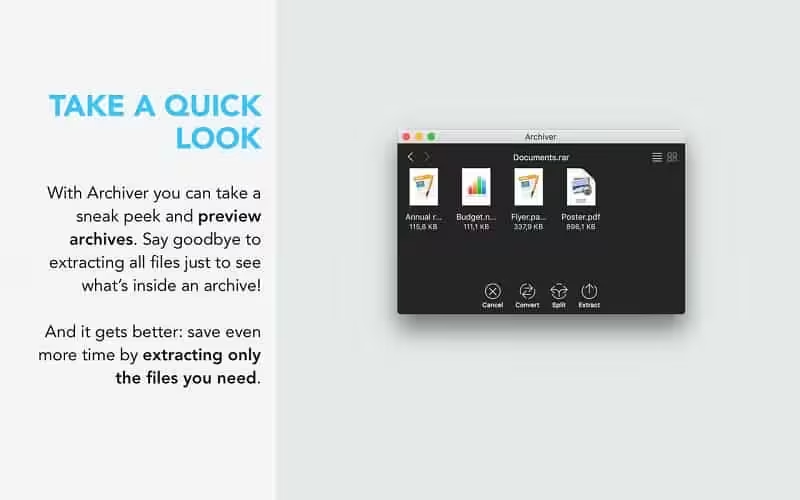
- Take a Quick Look – Say goodbye to extracting all files in an archive just to see what’s inside! With Archiver 2 you can take a sneak peek and preview archives. And it gets better: Archiver lets you extract only the files you really need. It’s all just a drag and a drop away.
- Drag and Drop Delight – Never worry about archive formats again — Archiver’s drag-and-drop capability is back and smarter than ever! Just drag your files into the app and watch Archiver take care of the rest.
- Shrink ‘Em Images and Music Files – Have you ever tried to send an image only to be told that the file is too large? Do your file uploads seem to take forever? Enter Archiver 2’s own compression format, with which you can truly shrink image and audio files.
- MultiTask – Archiver 2 is geared to take full advantage of your Mac, allowing you to do a whole lot more at the same time. And it’s remarkably easy to do! By simply dragging in more archives, the Archiver will extract them for you side-by-side all at once.
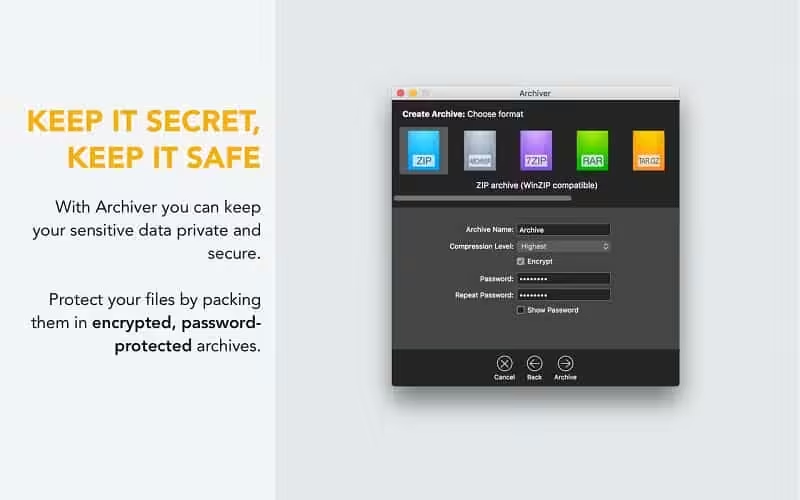
- It’s a Secret to Everybody – Keep your data private, keep it secure! With Archiver 2 you can protect your sensitive files by packing them in encrypted, password-protected archives by entering the password you wish to use.
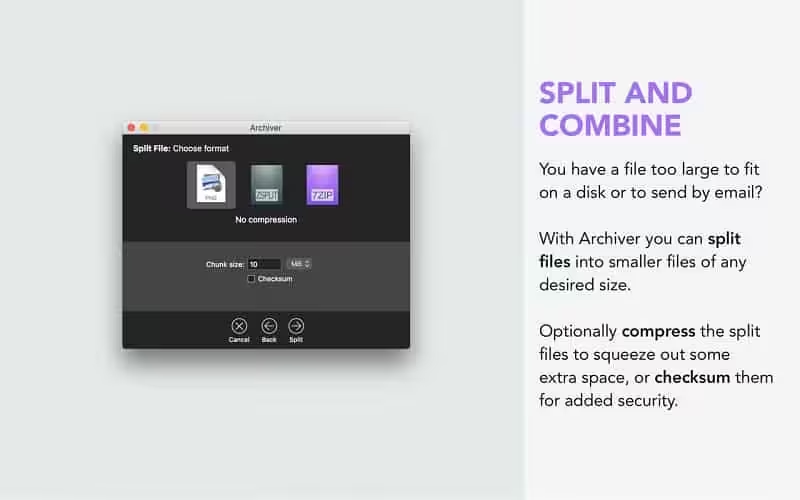
- Split and Combine – Got a file too large for a disk or email? Archiver has always been great at splitting and combining files. With Archiver 2, you can now also create split archives. All you need to do is specify the size of each chunk, and you’re good to go!
What's New in Version 4.3.1
- May include unspecified updates, enhancements, or bug fixes.
- This update adds stability fixes and improvements. It’s recommended that all users update.
Older versions & Compatibility
Running macOS Catalina, Big Sur, Monterey, or Ventura? Download tested builds for Intel and Apple Silicon.
-
4.3.1 LatestOct 17, 2026 · 17.3 MB · Universal
Verified secure servers
Official Website






No comments yet
Share whether this build worked on your Mac, on which macOS version, and your tips.