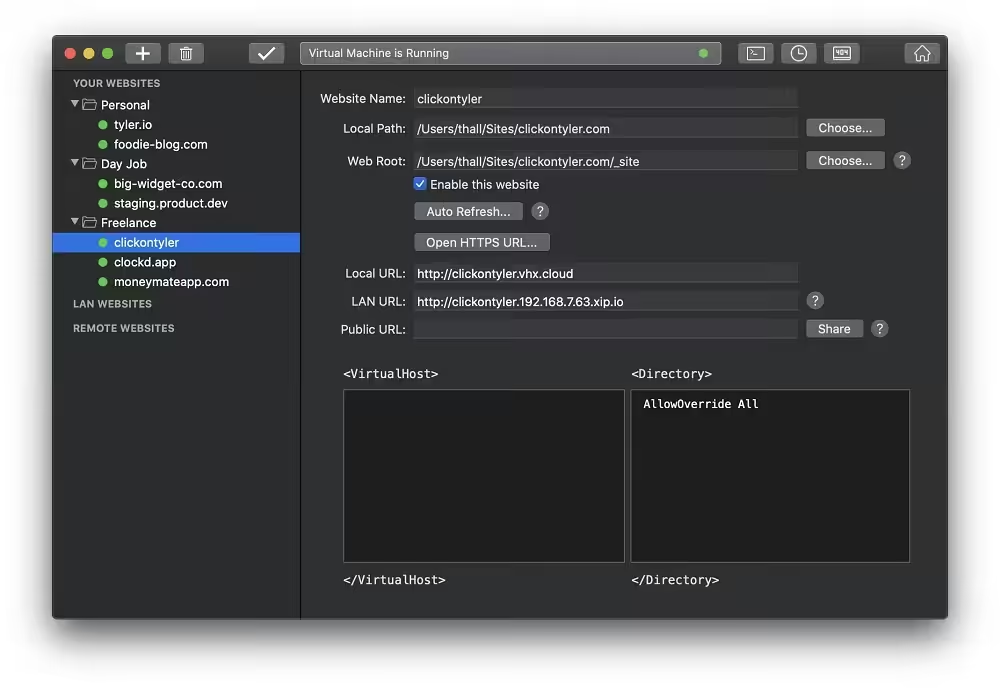
VirtualHostX is the easiest way to build and test multiple websites on your Mac. It’s the perfect solution for web designers working on more than one project at a time. With VirtualHostX, you can easily create and manage unlimited Apache websites with just a few clicks.

Download
8.7.16 · FREE
Download Now
8.7.16 · FREE · Universal
31.7 MB
Free Space Required
Universal
Apple Silicon & Intel
Universal
ARM64 & x86_64
- Features
- Screenshots 3
- Whats new?
- The app new detects if your unsaved changes require doing a full reboot of the virtual machine, or if it’s safe just to do a fast restart of the webserver.
- More more reliable and stable connection to the virtual machine. Should help prevent the dreaded “Default Ubuntu Apache” webpage from appearing.
- Show helpful information when no websites have been created yet.
- Better tracking of which websites have unsaved changes.
- Much improved drag/drop of websites and groups in the sidebar
- Custom directives textboxes now use a fixed-width font.
- New toolbar icons.
- The sidebar is smarter about keeping track of what items should be selected.
- Added status tooltips with contextual information throughout the app.
- Generate real SSL certificates with Certbot.
- A brand new status view that shows what’s happening to the web server and virtual machine.
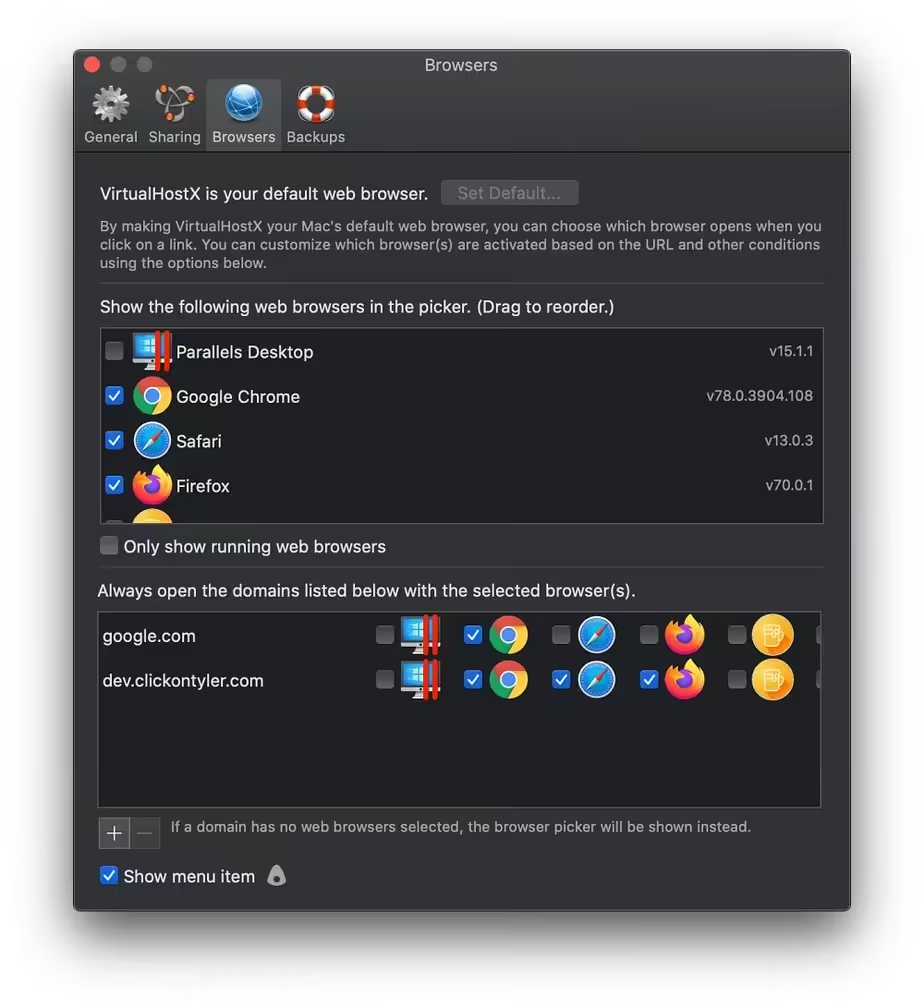
- Control your macOS web browsers.
- Use standard system status icons in the sidebar.
- Reveal web server log folder in Finder.
- Keep logs of all virtual machine actions.
- Show a virtual machine output window during the setup process.
- Preference to not show a virtual machine output window at all.
- Modern macOS UI.
- Fixes to Uninstall script.
- Correctly open the Start page when using alternative webserver port numbers.
- Prompt to install Vagrant/VirtualBox if they’re not detected.
- Fixed many, many crashes
- macOS Today extension.
- AppleScript support.
- Improved app launch time on older Macs.
- Add warning when choosing to Destroy the virtual machine.
- Abort virtual machine restart if the Admin password prompt is canceled.
- Ensure Local Path and WebRoot directories make sense to one another.
- Automatically offer to destroy virtual machine after updating the Vagrant box.
- Better checking of which webserver port is in use.
- Improved Welcome window flow.
- Improved Preferences window UI.
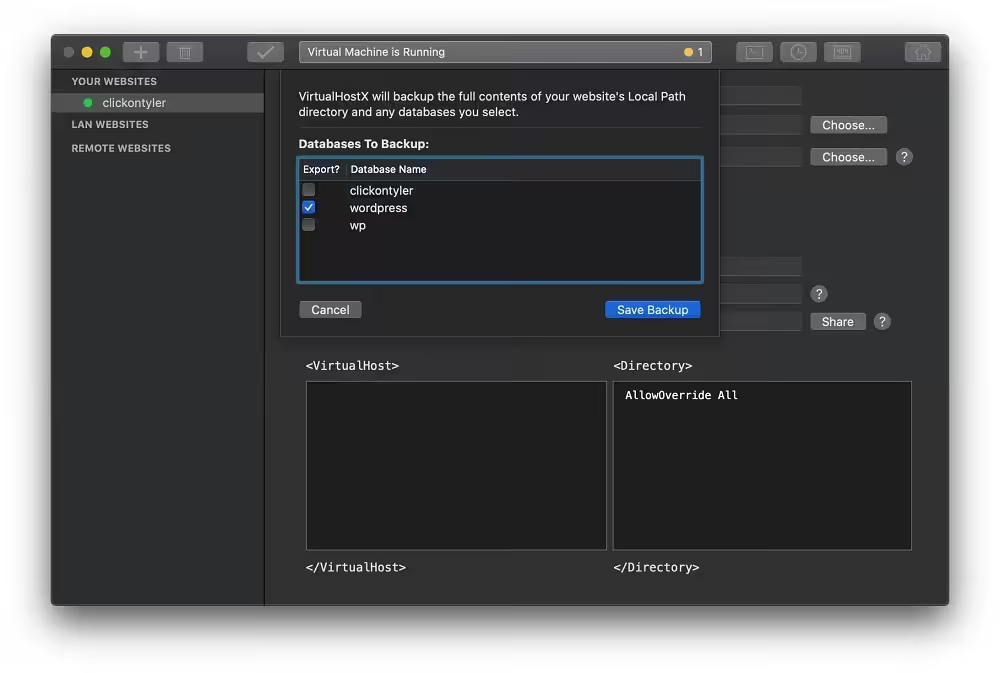
- Added website and database backup manager.
- Reopen the correct window when clicking on the Dock icon.
- Improvements to bundled phpMyAdmin.
What's New in Version 8.7.16
- This is just a quick update that renews the vhx.cloud SSL certificate so you can continue to test your websites using HTTPS
Older versions & Compatibility
Running macOS Catalina, Big Sur, Monterey, or Ventura? Download tested builds for Intel and Apple Silicon.
-
8.7.16 LatestOct 18, 2026 · 31.7 MB · Universal
Verified secure servers
Official Website






No comments yet
Share whether this build worked on your Mac, on which macOS version, and your tips.