ScreenFocus dims your screens. You don’t have to click any button to dim a screen. It’s dimmed automatically when you move the cursor away. By default, only the side screens are dimmed. Of course, you can change it within the app menu.
Download
1.1.1 · FREE
Download Now
1.1.1 · FREE · Universal
11.6 MB
Free Space Required
Universal
Apple Silicon & Intel
Universal
ARM64 & x86_64
- Features
- Screenshots 2
- Whats new?
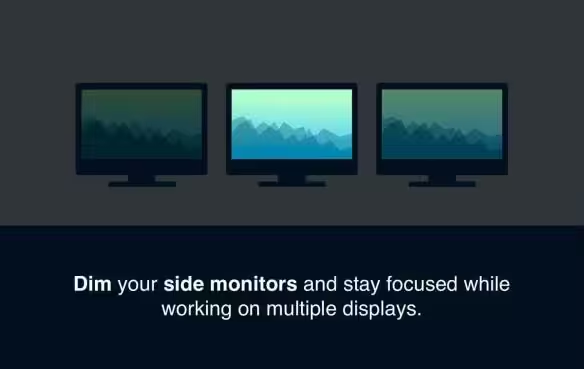
- Stay focused: Don’t let side monitors distract you. ScreenFocus DIMMs any number of screens so that you can focus only on what you are actually working on.
- Brighten up a monitor in no time: Simply move your cursor over the side monitor – the screen will brighten up. When you move the cursor away, the screen will dim again.
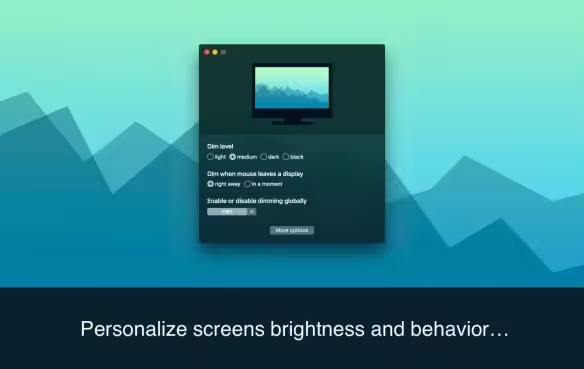
- Variety of settings: We believe ScreenFocus works perfectly as it is. But perfect is not the same for everyone. You can adjust the dim level, the time before a screen is dimmed, and even the fade duration. In the application menu, you can choose if a particular monitor should be dimmed.
What's New in Version 1.1.1
- Release notes were unavailable when this listing was updated.
Older versions & Compatibility
Running macOS Catalina, Big Sur, Monterey, or Ventura? Download tested builds for Intel and Apple Silicon.
-
1.1.1 LatestOct 24, 2026 · 11.6 MB · Universal
Verified secure servers
Official Website






No comments yet
Share whether this build worked on your Mac, on which macOS version, and your tips.