ColorSnapper2 is the OS X color picker app for designers and developers that makes it easy to collect, adjust, organize, and export colors of any pixel on the screen. It is activated via a system-wide hotkey, giving you a magnifying glass to easily pick any pixel you need, even from Retina displays. The resulting color is copied to the clipboard in a format of your preference.
Download
1.7.1 · FREE
Download Now
1.7.1 · FREE · Universal
7.3 MB
Free Space Required
Universal
Apple Silicon & Intel
Universal
ARM64 & x86_64
- Features
- Screenshots 2
- Whats new?
- New Magnifying Glass — the original ColorSnapper magnifying glass — introduced in 2010 and adopted by every modern color picker app since then — just got even better! It works perfectly with multiple displays, different resolutions, and different pixel density. You can switch between Spaces and Applications having the magnifying glass on the screen while controlling it with gestures and keyboard shortcuts.
- New Hi-Precision Mode allows you to choose every physical pixel on a retina screen but also works great on displays with normal pixel density by increasing mouse sensitivity and magnification level.
- Export to Adobe® Photoshop® & Illustrator® — set foreground and background color in your favorite designer tool directly from ColorSnapper.
- Capture loupe image — new magnifying glass can be used as a review tool. Pressing P will copy the zoomed image to the clipboard.
- Favorites & History — with ColorSnapper2 you can now organize, adjust & export colors without leaving the application. Add colors you regularly pick to the favorites or go back in time to hundreds of colors.
- Adjust colors — new user interface seamlessly integrates with Apple’s Color Panel so you can adjust colors before you export them.
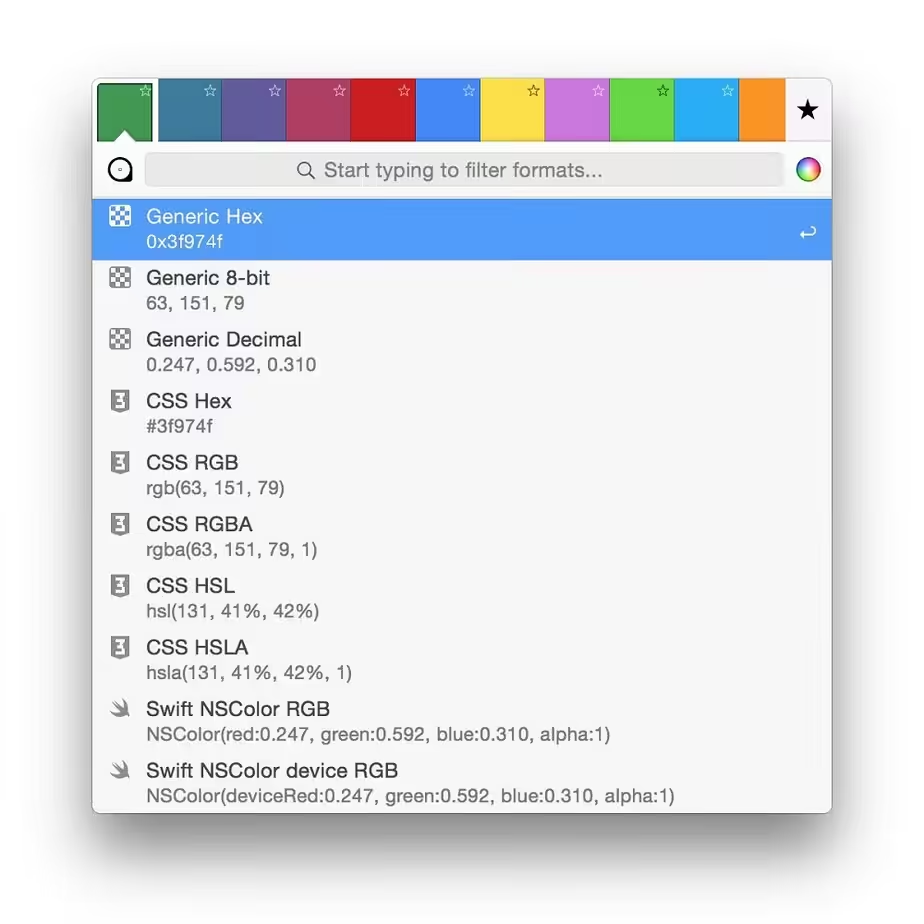
- Quick formats filter — just start typing to quickly search through more than 30 export formats.
- Automatic color profile conversion — converts colors picked from native macOS applications, including Safari and Xcode from the monitor’s color profile to sRGB. This means you’ll get the same RGB values as those used in your code.
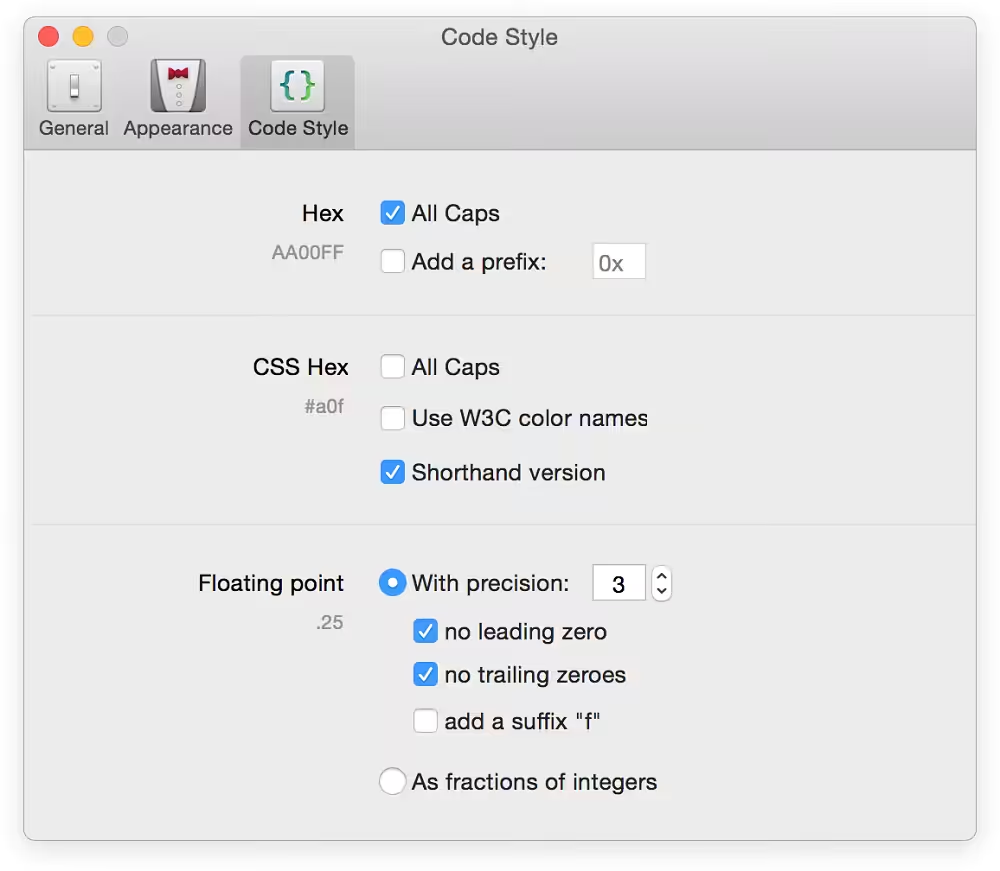
- Code style — use flexible color values formatters to match your coding style. Along with all-new supported formats, including CSS3, NSColor & UIColor, Swift, Android, Java, .NET, and many more, this results in an even faster developer workflow.
What's New in Version 1.7.1
- Bugfix: Automatic color conversion on macOS 10.13
Older versions & Compatibility
Running macOS Catalina, Big Sur, Monterey, or Ventura? Download tested builds for Intel and Apple Silicon.
-
1.7.1 LatestOct 16, 2026 · 7.3 MB · Universal
Verified secure servers
Official Website




No comments yet
Share whether this build worked on your Mac, on which macOS version, and your tips.