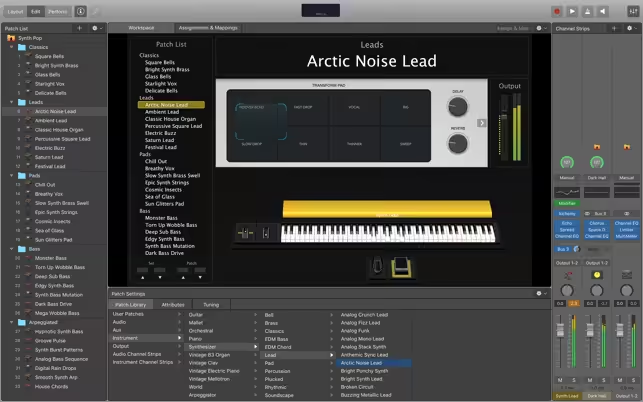
MainStage lets you take your Mac to the stage with a full-screen interface optimized for live performance, flexible hardware control, and a massive collection of plug-ins and sounds that are fully compatible with Logic Pro.
Download
4.3.1 · FREE
Download Now
4.3.1 · FREE · Universal
1.1 GB
Free Space Required
Universal
Apple Silicon & Intel
Universal
ARM64 & x86_64
- Features
- Screenshots 4
- Whats new?
The Ultimate Live Rig
- Perform live with 100 instrument, effect, and MIDI plug-ins or work with Audio Units plug-ins
- Add your sounds from Logic Pro and GarageBand to bring your studio sound to the stage
- Support for the Touch Bar on MacBook Pro provides convenient controls for layout, editing, and performance
- Combine instruments and live audio, such as keyboards and vocals, in a single Patch
- Switch between Patches without stopping sound output or cutting off held notes
- Design rich keyboard Patches using splits and layers, the Arpeggiator, and other MIDI plug-ins
- Perform with stereo or multitrack backing tracks using Playback
- The 64-bit architecture uses all the RAM in your system for larger sampled instruments
Connect your favorite hardware and use it to play and control your plug-ins
Use USB and MIDI-equipped controllers like keyboards, foot pedals, and drum pads
Instantly set up a large variety of hardware using automatic device recognition
Quickly assign hardware knobs, buttons, and faders to onscreen controls
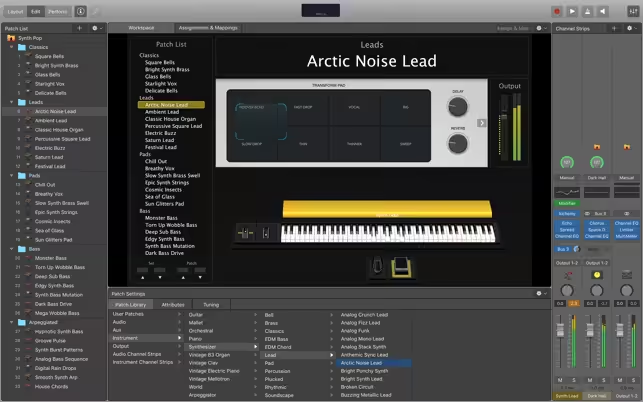
Manage sophisticated rigs using the Assignments & Mapping overview
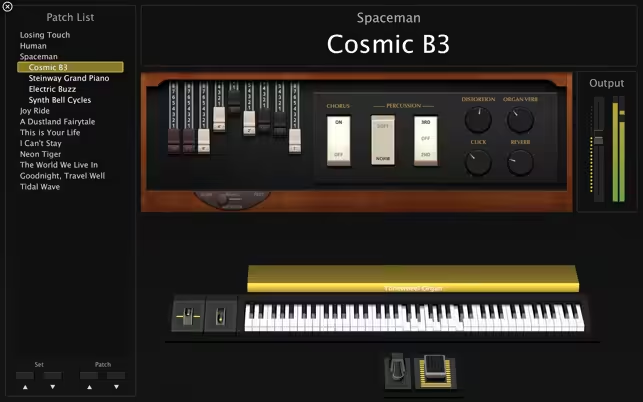
Designed for the Stage- See only what you need during your performance using a customizable, full-screen live interface
- Screen controls adapt for each Patch using Smart Controls
- Smart Controls offer dynamic performance controls that change with each Patch
- Easily view your Mac screen from a distance using a high-contrast, full-screen performance view
- Play or create a wide variety of rich sampled instruments with Sampler and Quick Sampler
- Turn your favorite hardware synthesizers into sampled instruments using the Auto Sampler plug-in
- Quickly find sounds or create unique new ones with Alchemy, the ultimate sample manipulation synthesizer
- Play classic ’70s- and ’80s-style synthesizer sounds using Retro Synth
- Play faithful models of vintage keyboards with Vintage B3, Vintage Electric Piano, and Vintage Clav
- Perform inspired sounds using a collection of synths that provide analog, wavetable, FM, additive, granular, spectral, and modeling synthesis
- Play deeply sampled, professionally mixed, and fully customizable drum kits provided by Drum Kit Designer
- Perform electronic beats with the Ultrabeat drum machine
- Transform simple ideas into elaborate performances using nine MIDI plug-ins
- Instantly turn a simple chord into a rich performance with the Arpeggiator
- Play a single note to trigger predefined chords with Chord Trigger
- Perform a part and conform notes to a specific scale using Transposer
- Play your sounds through a variety of realistic acoustic spaces or creative synthesized reverbs
- Use a range of multi-tap, vintage tape, and stereo delays
- Add movement to your tracks with a variety of modulation effects
- Get the perfect mix with a collection of vintage and modern EQs, dynamics, and other mixing tools
- Build your own guitar or bass rig with Amp Designer using vintage and modern amps, cabinets, and mics
- Design a custom Pedalboard from a collection of delay, distortion, and modulation stompboxes
- Access a full-screen Tuner to quickly get in tune
- Over 4300 instrument and effect Patches
- More than 1800 meticulously sampled instruments
- 10000 Apple Loops in a wide range of genres
- 6GB available disk space for minimum install / 72GB hard disk for full Sound Library installation
What's New in Version 4.3.1
- Fixes an issue in Space Designer which could cause output to sound different than previous versions.
Older versions & Compatibility
Running macOS Catalina, Big Sur, Monterey, or Ventura? Download tested builds for Intel and Apple Silicon.
-
4.3.1 LatestOct 22, 2026 · 1.1 GB · Universal
Verified secure servers
Official Website





No comments yet
Share whether this build worked on your Mac, on which macOS version, and your tips.